
WhisperPad
The landing and onboarding for an indie Mac dictation app, designed to turn a stranger's doubt into their first transcription.
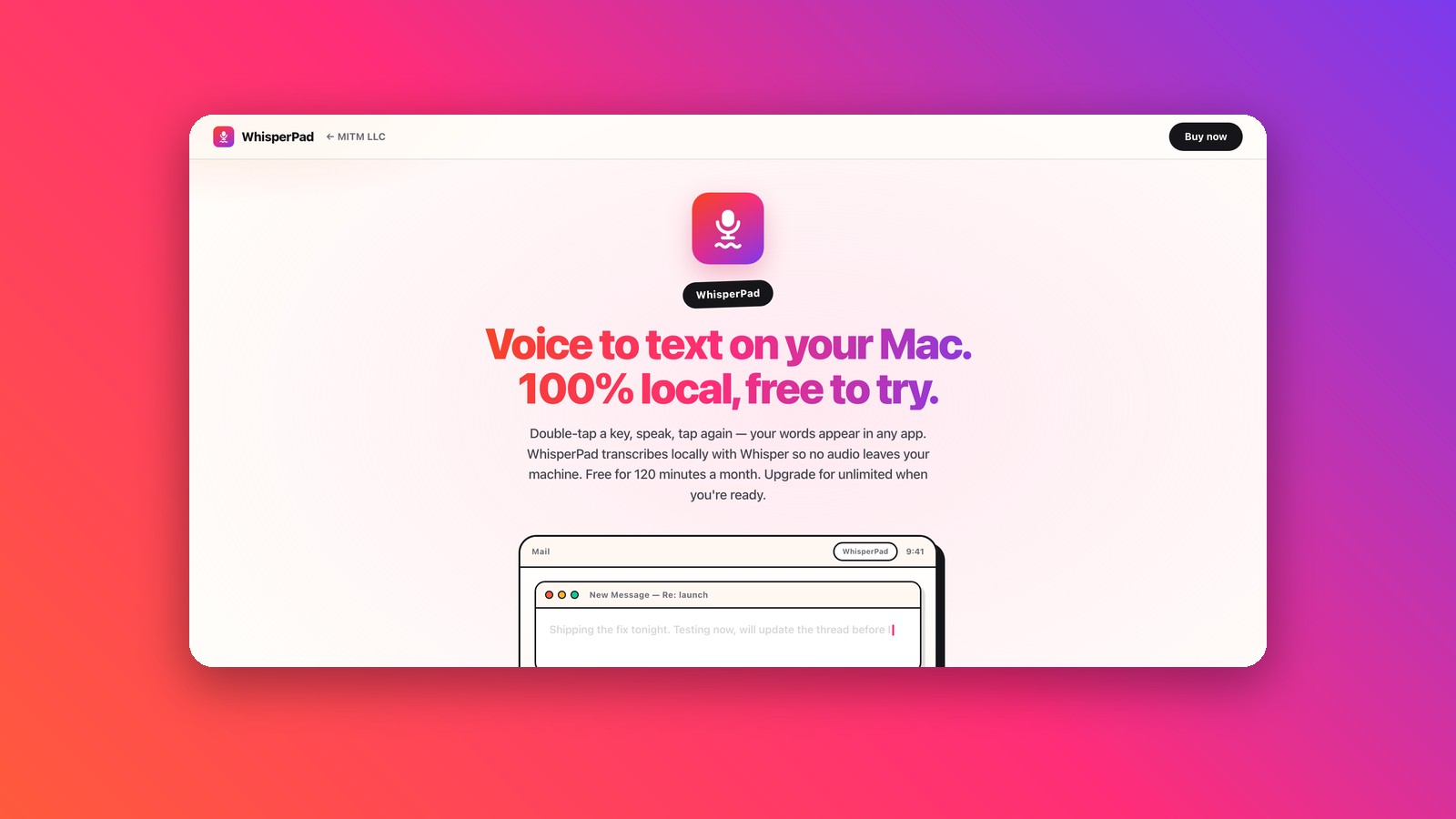
The short version. WhisperPad is a macOS app that types what you say, transcribing entirely on your own machine. I did the positioning, the landing page, the onboarding flow and the brand for MITM LLC, a one-person studio with no marketing budget. The hard part was never the page, it was trust: nobody installs something that listens to them unless the experience earns it first. The work is live on the client's own site.
The problem
WhisperPad competes with well-funded tools like Superwhisper, Wispr Flow and MacWhisper. But its real competitors are the user’s own keyboard and their distrust of anything that touches a microphone.
Two constraints shaped everything. It is a one-person studio with no marketing budget, and Apple rejected the auto-paste build, so the main version ships as a direct download instead of a frictionless App Store install. The page has to do the convincing on its own.
A weaker brief would have been “make a nice landing page”. I reframed it as a UX problem:
People won't install a tool that listens to them unless they trust it. How does the experience earn that trust, and then carry the user to their first successful transcription, before the doubt wins?
That reframe splits the work into two funnels a product designer actually owns: acquisition, where the landing earns the click, and activation, where the onboarding delivers the first success fast enough that they stay.
Research
The research here was competitive and secondary, and I say that plainly because it is the honest limit of this project. Three inputs shaped the direction.
- Competitive teardown. Superwhisper, Wispr Flow and MacWhisper all lead with features and with AI. None of them own "your voice never leaves the device" as an emotional promise. They treat it as a spec line.
- Beachhead user. The privacy-conscious knowledge worker, a developer, writer or PM who already tried dictation once and bounced off it, either from friction or from not knowing where their audio went.
- Job to be done. "When I have to write something long, I want to say it once and have it land where I'm working, without my words becoming someone's training data."
So the page never argues “we are the best Whisper app”. It argues one thing: your voice is yours.
Three directions, two rejections
The visual direction took three passes, and the rejections are the useful part because they show the design answering to a goal instead of to taste.
- V1, terminal. Dark, monospace, local-first for hackers. Technically honest, but it shrank the audience: a normal knowledge worker reads it as "not for me". Rejected.
- V2, Apple-clean. White, system font, safe and professional. Correct, and completely inert. It gave nobody a reason to keep reading. Rejected.
- V3, shipped. Bold display type, a warm gradient as the voice identity, playful cards with heavy borders, and a demo you can actually play with. Desirable and still clean.
"Correct" and "desirable" are different targets. V2 passed a heuristic checklist and still failed the only test a download page has to pass: does a stranger want this in the first three seconds.
Design decisions
The scroll order is the visitor’s questions, in sequence. Hook, then how it works through the live demo, then objection handling (works offline, types anywhere), then the trust payload, then price, then close. A landing is a conversation, and answering objections in the order they arise beats a feature list.
You can try the gesture before installing. The core interaction, double-tap and speak and it types, is playable on the page itself: double-tap the real Control key and watch text appear. The fastest way to trust a behaviour is to feel it once, and the demo is honest about faking the voice part.
Privacy is proved, not claimed. Instead of the adjective “private”, the page dares you: turn off your Wi-Fi, it keeps working. The proof is the architecture, so the copy points at something you can verify yourself. A claim you can test beats an adjective.
The free tier is a complete first experience. 120 minutes a month with every feature. An early version of the pricing crowned the free tier as “the real product”, which lowered install friction but gave nobody a reason to pay. The final framing keeps the generosity and lets the monthly ceiling make the case for Pro on its own, so the page never has to push.
Onboarding aims for a first success in 60 seconds. Three screens, no feature tour. The privacy promise appears exactly at the system permission prompt, the moment of maximum distrust, and the onboarding itself is the first real transcription.
Built to survive scrutiny
A page that looks good and fails a keyboard user is not good UX, so I ran a WCAG 2.1 AA pass and documented every fix with its rationale.
- The interactive demo became a real focusable button with a live-region announcement, instead of a decorative trick.
- Every looping animation has a reduced-motion fallback.
- Contrast on the gradient headline and the pricing card was fixed without killing the vibrancy.
- Decorative elements are hidden from screen readers, and the page works before JavaScript loads.
What I’d measure
The page is live and the usage data is the developer’s to instrument, so I have no results to show yet. What I can show is which metrics I defined, and they are activation-first rather than vanity.
- 1 successful transcription within 24h of download, as the north-star.
- ↓ time-to-first-transcription, measured in seconds.
- D7 retention: did they transcribe anything a week later.
- 2nd free to Pro conversion, as a secondary signal only.
What I’d test next
- Five users, including one keyboard-only and one screen-reader run. This is heuristic and standards-based work and it has not been in front of a real user. The two things to validate: is the demo discoverable at all, and does the first success actually land.
- The accessibility trade-off I chose. The gradient pricing card meets AA-large, but a bulletproof AAA version would need a solid dark card. I picked brand vibrancy on purpose and wrote down why, rather than pretending the choice was free. I would put that in front of users with low vision before defending it further.
- Instrument activation from day one, so the next iteration is driven by where people actually drop off instead of by my assumptions.
What I learned
The brief I was given was a landing page. The brief I delivered was a trust problem, and that reframe is the whole project. Everything defensible on that page, the playable demo, the Wi-Fi dare, the generous free tier, came from asking what a stranger is afraid of rather than what the product can do.
I also learned to read my own rejections properly. V2 was the version that would have passed any review: clean, correct, Apple-like, nothing to criticise. Killing something that has no visible flaw, because it fails at the only job that matters, was harder than killing V1 and it taught me more.